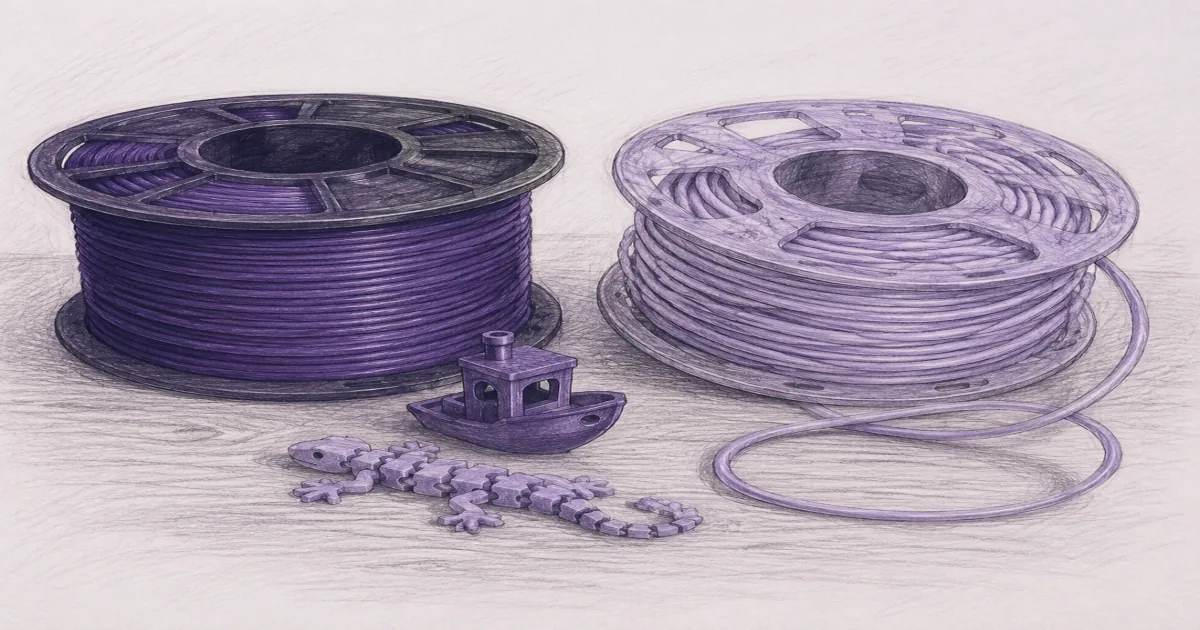
TPU vs PLA Filament: Which One Actually Fits the Job
Filament
PLA prints easy and looks sharp. TPU flexes, grips, and survives drops. The wrong filament choice wastes an evening. Here is how to pick, what to print first, and which spools to start with.
Our picks
TPU vs PLA is not a personality test. The two filaments cover different jobs. PLA prints easy, looks clean, and forgives a beginner's mistakes. TPU flexes, grips, and survives drops. Trying to substitute one for the other usually wastes an evening and a spool.
For a broader shopping list, see best 3D printer filament. For PETG toughness instead of TPU flex, see PLA vs PETG. For heat-resistant parts, see PLA vs ABS. For moisture problems that affect both, see filament dryer.
TPU vs PLA at a glance
PLA prints cooler and smells milder. TPU is flexible but prints slower and demands a direct-drive extruder. That single extruder note explains most of the "TPU is impossible" threads.
Start with PLA: HATCHBOX
HATCHBOX PLA is the everyday spool. It is the filament you load when you want the printer to succeed before you learn materials science. Black 1.75 mm covers calibration cubes, brackets, organizers, and gifts without drama.
PLA sticks to a clean textured PEI sheet at 200 to 215 C with the bed around 60 C. First layers are forgiving. The smell is low enough for a shared room. Skip it for a phone mount on a hot dashboard. PLA softens in the sun.
If a print fails with HATCHBOX on a dry spool, look at bed leveling, Z-offset, and bed cleanliness before you leap to exotic blends.
For a deeper PLA shortlist with value and color options, see best PLA filament.
Add TPU later: Overture TPU 95A
OVERTURE TPU 95A is the flexible filament you add after the printer is already dialled in. 95A is the friendliest hardness for home FDM. It flexes enough for bumpers and gaskets without turning the extruder into a chewing contest.
Direct drive is the easy setup. A long Bowden tube lets TPU buckle, the gears grind a flat spot, and you decide the hotend is clogged. It is often just a noodle in a tube.
Print TPU slower than PLA. Keep the path short. Print a bumper or a phone-stand hinge first. Those jobs tell you if the filament feeds cleanly.
For a deeper TPU shortlist, see best TPU filament.
When to switch materials without wrecking a week
- Finish a known-good PLA print so you trust the machine
- Unload PLA and purge the nozzle at TPU temperature
- Load dry TPU and run a small temperature tower or 40 mm coupon
- Reduce retraction compared with PLA, then adjust
- Store the open TPU spool sealed or in a dryer
Do not change printer, filament, and slicer profile on the same night. Change one variable. If you start with PLA, switch to TPU, and re-slice the file all at once, you will not know which change broke the print.
Print settings that usually differ
Copying a PLA profile onto TPU is a classic stringing recipe. Copying a TPU profile onto PLA usually over-extrudes and looks glossy with poor detail.
Common PLA questions
PLA does not need an enclosure. PLA does not need a heated chamber. PLA does not need a hardened nozzle. PLA does need a clean bed and a stock profile to start.
PLA fails at high temperatures. Softening starts around 55 to 60 C. That rules out car interiors, outdoor summer parts, and anything that sits near a hot light. For those jobs, move to PETG, ASA, or PC.
PLA absorbs moisture slowly. A wet PLA spool steams in the hotend and the surface looks rough. Dry the spool or open a fresh bag.
Common TPU questions
TPU does not need an enclosure, but it does need a direct-drive extruder. The filament is too soft for a long Bowden path.
TPU does not need a special hotend. The 95A hardness prints at standard PLA-class temperatures.
TPU does need slower speeds. Print speed is the most common fix for "TPU is impossible" reviews.
TPU is not automatically stronger than PLA in every test. A thick PLA part can beat a thin TPU shell. Choose TPU for flex, grip, and impact, not for raw strength.
Storage and drying for both
Keep opened spools sealed. A simple dry bag with desiccant handles PLA. TPU benefits from a 40 to 50 C dryer if the bag has been open for weeks.
AMS-style multi-material systems can be fussy with very soft filament. Check whether the unit is rated for TPU before loading a 95A roll into a color slot. If the path is long or the gears are light, print TPU from a simple direct-drive mount instead.
When to ignore the debate
If you only print figurines and gifts, buy PLA and stop reading forums. If you already broke three PLA clips on a shop door, buy TPU and a dryer plan.
A solid printer from best 3D printer makes either filament less dramatic. A warped bed makes both look worse.
More filament comparisons
For a wider filament shopping list, open best 3D printer filament. For PETG toughness instead of TPU flex, see PLA vs PETG. For heat-resistant parts, see PLA vs ABS. For moisture problems, see filament dryer. More guides sit on the filament guides and the wider blog.
Bottom line
Start with HATCHBOX PLA. Add OVERTURE TPU 95A when you need a flexible bumper, gasket, or grip and the printer already has a direct-drive extruder. Match the filament to the job, not to the loudest Reddit thread of the week. PLA is the everyday workhorse. TPU is the specialty tool for the jobs PLA cannot do.
Frequently Asked Questions
TPU vs PLA: which filament should a beginner buy first?
Buy PLA first. PLA prints at low temperatures, sticks to a clean bed without drama, and forgives the mistakes a first printer makes. Move to TPU when you want a flexible bumper, gasket, or grip and the printer is already dialled in.
Can I print TPU on the same printer as PLA?
Yes, if the printer has a direct-drive extruder. Direct drive keeps the filament path short, which is what TPU needs to feed without buckling. A long Bowden tube can print TPU at very low speeds with a constrained path, but most beginners find direct drive easier.
Does TPU need an enclosure?
No. TPU is not an ABS-class filament. It does not warp from drafts the way ABS does. The job is feeding, not chamber heat. Skip the enclosure question and focus on extruder path and speed.
What temperature should I use for TPU?
Start in the 210 to 230 C range for a 95A spool like the Overture TPU. Tune with a small 40 mm coupon. Copying a PLA profile onto TPU usually prints stringy, under-extruded parts.
Why does my PLA stick fine on Monday and warp on Wednesday?
Usually humidity. PLA absorbs moisture slowly, but a wet spool steams in the hotend and pops at the nozzle. Dry the spool in a filament dryer or sealed storage if prints suddenly look brittle or bubbly.
Can I dry TPU and PLA the same way?
Yes for most dryers. PLA dries around 40 to 45 C. TPU dries around 40 to 50 C. Check the dryer spec. Higher temperatures soften TPU and ruin a spool.
Is TPU safe for outdoor parts?
It is good for flex, grip, and impact. UV and heat resistance depend on the specific TPU blend, not just the 95A rating. Do not assume a printed bumper can sit on a hot dashboard.
Should I keep both PLA and TPU loaded at the same time?
Yes if you have an AMS-style multi-material unit. PLA on one slot, TPU on another, and you can switch between a rigid figurine and a flexible gasket without unloading spools. Confirm the AMS unit is rated for soft filament before loading TPU, since very soft 70A filaments can be too floppy for some color systems.