Best Filament Dryer (2026): Stop Stringing Before You Blame the Printer
Filament
Wet filament looks like a broken printer. The SUNLU S1 Plus fixes daily stringing. Space Pi Plus handles two open spools. SUNLU S2 adds heat for nylon.
Our picks
A wet spool can make a solid printer look cursed. You get popcorn noises in the nozzle, fuzzy stringing, weak layer bonds, and mystery clogs that vanish when you open a fresh vacuum bag. Before you buy another machine, dry the filament you already own. If you are moving into wash-away supports, PVA filament is even thirstier than PETG and belongs in a dryer from day one.
Browse more spool guides in our filament guides. Pair drying habits with the materials in best 3D printer filament and the material tradeoffs in PLA vs PETG. For the step-by-step process, see how to dry filament.
Why wet filament ruins good prints
Filament pulls water from room air. PETG, nylon, and TPU soak it up faster than basic PLA, but PLA still goes soft and noisy after a humid week on an open shelf.
Moisture turns into steam in the hotend. Steam makes bubbles, pops, and gaps. The slicer looks fine. The part fails. That is why dryer boxes sit next to successful home benches even when the printer itself is excellent.
If your room sits above about 50% relative humidity for days, treat drying as part of printing, not as an optional gadget.
Signs you need a dryer this week
Watch for these tells:
- Popping or crackling from the nozzle on a spool that used to print clean
- Heavy stringing after you already tuned retraction
- Brittle filament that snaps when you bend a short length
- Matte, weak layers on PETG that used to look glossy and tough
- Spools left open overnight in a bathroom-adjacent office or basement
One of those is enough to justify a dryer. Waiting until nylon is on the menu is how people waste a weekend.
Top pick: SUNLU S1 Plus
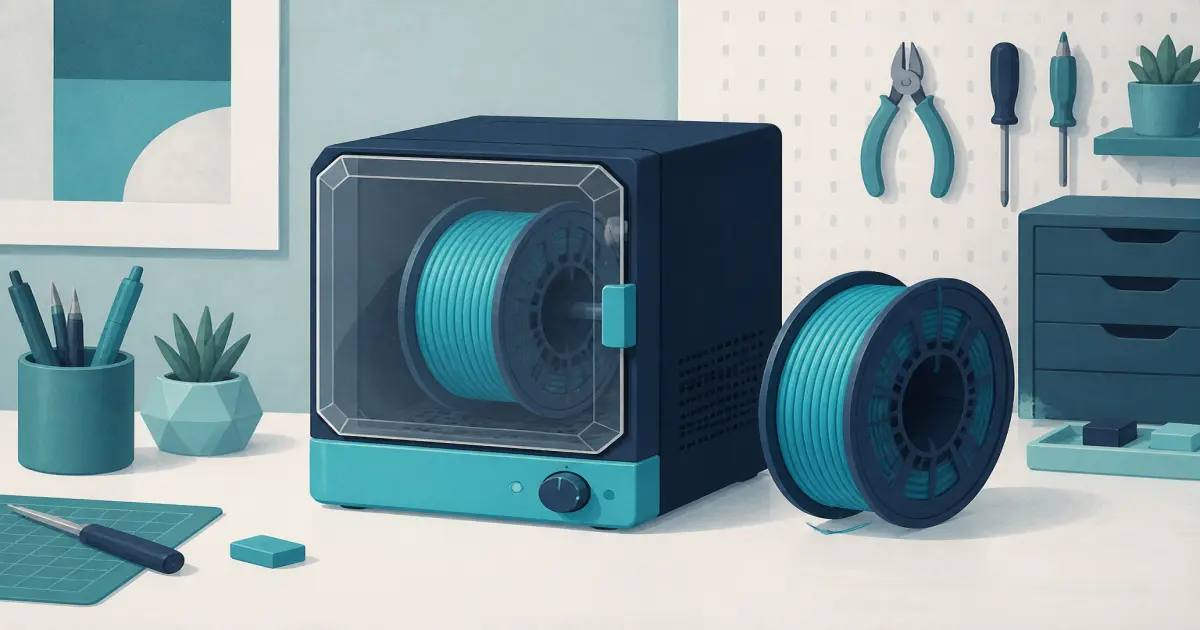
The SUNLU Official Filament Dryer S1 Plus is the starter we keep recommending. It heats, circulates air, and holds a standard 1 kg spool while you print. That is the job: dry the roll you are using this week, then keep it from sitting open on the desk.
Set the temperature for your material, run a drying cycle, then leave the spool in the box and feed filament out to the printer. That dry-while-print habit matters more than owning three fancy dehydrators.
Skip it if you regularly keep two open spools for multi-color jobs. One chamber means you rotate rolls or upgrade.
Best dual spool: Creality Space Pi Plus
The Creality Space Pi Filament Dryer Plus is the two-spool step when PETG, TPU, or a second color is part of the weekly plan. PTC hot-air heating and filament presets make it less fiddly than a bare box with two mystery dials.
Use it as a small kit with your printer: one roll drying, one roll printing, or two colors staged for a weekend project. The footprint is bigger. The workflow is calmer if you hate resealing bags every night.
Best for nylon heat: SUNLU S2
The SUNLU S2 Filament Dryer sits above the S1 Plus when you need more heat and a clearer humidity readout. Nylon and many TPU blends respond better to longer, hotter cycles than a basic PLA-focused box can deliver.
It is still a single-spool machine. Buy it for material difficulty, not for AMS-style capacity. If you mainly print PLA and occasional PETG, the S1 Plus is enough.
For flexible filament habits after the spool is dry, see best TPU filament.
Quick comparison
How long to dry
Exact times depend on how wet the spool is and which brand you bought. Use these as starting points, then check the filament card:
If the spool still pops after one cycle, dry again. Do not crank heat until cardboard warps or plastic hubs smell burnt.
Storage after drying
A dryer is not a forever vault with the door open and the heater off. After a print, reseal the spool with desiccant or leave it in the dryer if you will print again tomorrow.
Cheap zip bags and fresh desiccant packs beat a decorative open rack. Humidity wins every time you leave PETG naked on the desk for a week. For sealed boxes and vacuum bags, use filament storage.
Dryer vs buying new filament
Fresh sealed PLA is cheap. Throwing away half-used PETG every humid month is not. A dryer pays for itself when you print functional parts more than once a month.
If you only print two figurines a year from sealed PLA, you can wait. If you already own five open spools, dry them before you shop for another printer.
Pairing with your machine
Open-frame desks and enclosed CoreXY machines both benefit. The printer did not create the moisture. The room did.
Keep the dryer on a firm surface near the printer so the feed path stays short and gentle. Long PTFE runs can add friction. Short and direct is better.
Common mistakes that waste a dryer
People buy a dryer, run one cold cycle with the lid cracked, then declare it useless. Close the lid. Give the cycle time. Feed from the box while printing so the spool does not reabsorb moisture on the open arm.
Another mistake is drying PLA at nylon temperatures just to be safe. You can warp cardboard hubs and make a mess. Use the preset that matches the material, then extend time if the spool still pops.
A third mistake is drying one wet roll and leaving five others open on the shelf. Rotate. Label open dates with masking tape. Treat filament like food that spoils in humidity.
When a dryer will not save the print
If the nozzle is partial clogged with carbonized junk, drying will not clear it. If the bed is oily, drying will not fix adhesion. If Z-offset is wrong, drying will not invent a first layer.
Dry filament removes one major failure mode. It does not replace basic maintenance. Keep both habits.
Bottom line
Dry filament before you rewrite every slicer setting. The SUNLU S1 Plus is the honest first dryer for most home desks. Move to the Creality Space Pi Plus when two spools become normal, or the SUNLU S2 when nylon needs more heat. Your printer will suddenly look fixed.
Frequently Asked Questions
Do I need a filament dryer for PLA?
Not on day one if the spool stays sealed. After a humid week, or when PLA starts popping and stringing, a dryer pays for itself.
Can I dry filament while printing?
Yes. Feed the filament out of the dryer into the extruder so the spool stays warm and dry during the job.
What temperature should I use?
Follow the dryer presets and the filament brand card. PLA is usually cooler than PETG or nylon. Do not guess and cook a cardboard spool.
Is a sealed box with desiccant enough?
Storage boxes help after drying. They do not replace a heated dryer when the spool is already wet. For sealed boxes and vacuum bags after the dry cycle, see filament storage.
Which dryer should beginners buy first?
Start with the SUNLU Official Filament Dryer S1 Plus if you print one material at a time. Move to the Creality Space Pi Filament Dryer Plus when two open spools become normal, or the SUNLU S2 when nylon needs more heat.
Can I dry filament in a kitchen oven?
The dryer boxes here use controlled heat and a feed path, which is easier to manage than a home oven. Use the material presets instead of guessing, because too much heat can warp a cardboard spool.
How do I store filament after drying?
Reseal the spool with desiccant or leave it in the dryer if you will print again soon. Do not leave PETG open on the desk for a week.