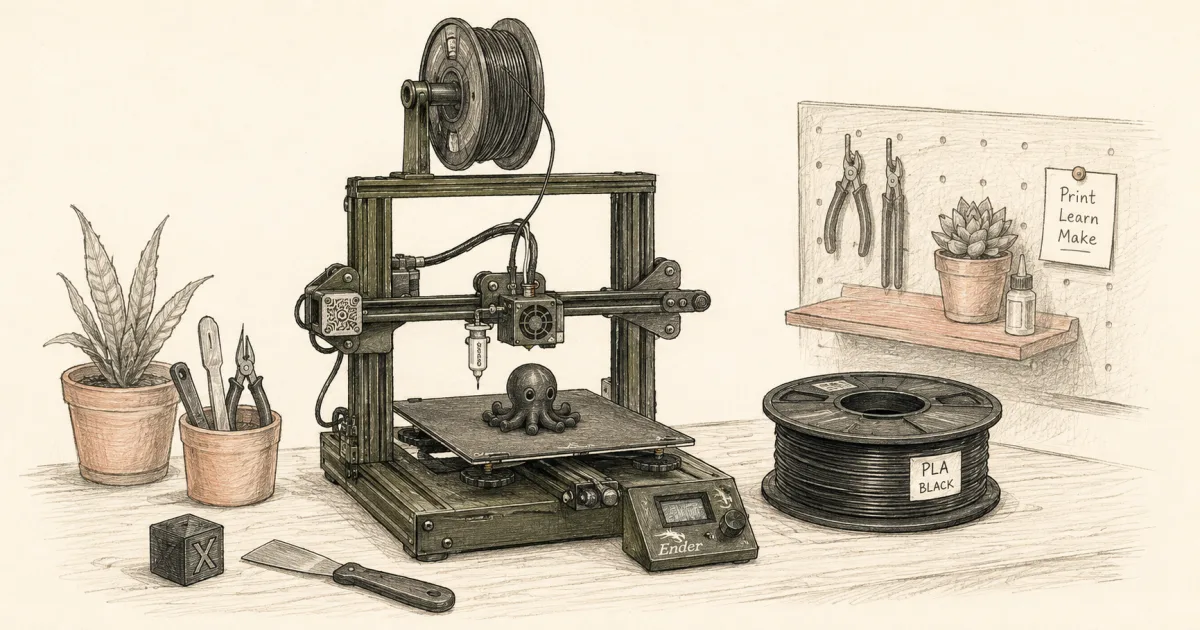
Best 3D Printer Under $200 (2026): How to Choose One That Prints
Printers
Under $200 you want a printer that finishes a first layer without a weekend of forums. Here is how to choose one, the kit we would buy, the spool that pairs with it, and when to break the ceiling.
Our picks
Under $200 is a popular search and a moving target. Listings swing in and out of stock every week. The useful question is not "what is the absolute cheapest printer on Amazon right now," but "what can I buy in this band that still auto-levels and finishes a first part on night one."
Auto leveling, a direct drive, and a real PLA spool matter more than a speed spec you cannot tune. For a wider budget conversation without a hard ceiling, see best 3D printer. Beginners can also skim best 3D printer for beginners. If you want a softer price cap, see best 3D printer under $300 for the next band up.
How do you choose a printer under $200?
Require three things: auto bed leveling, a direct-drive extruder, and a bed of at least 220 x 220 mm. Confirm the listing is a printer and not a parts bundle. Those three decide whether your first week is printing or troubleshooting.
Everything else is shopping noise at this price. A higher top speed, a bigger screen, or a light kit does not rescue a machine that still asks you to tram a bed by hand with a feeler gauge and a forum thread open on your phone.
Why auto leveling is the real under-$200 line
A cheap printer with a manual bed is not a bargain if it eats your first weekend. CR Touch and a strain-gauge Z offset do the first-layer work that used to take a feeler gauge, and that one feature is worth paying a little more for at this price.
What the numbers look like at this price
A 220 x 220 x 250 mm bed is 12,100 cubic centimeters, or 12.1 liters of build volume. At the $199 we see on the live listing, that works out to about $16.40 per liter, which is the cheapest usable volume in the band. A 40 g first part, like a cable clip or a headphone hook, is about 92 cents of PLA at $23 a kilogram.
Main pick: Creality Ender 3 V3 SE
The Creality Ender 3 V3 SE is the machine we want in this band. CR Touch auto leveling plus a strain-gauge Z-offset covers the first-layer work that used to eat weekends. The Sprite direct drive means PETG and TPU feed cleanly without a Bowden tune.
The bed is the same 220 x 220 x 250 mm most $300 kits brag about. That is enough for organizers, mounts, cosplay helmets split into halves, and most first-month projects. The open frame means PLA and PETG are the honest lane. Skip ABS or ASA fantasies on this machine and add an enclosure before you try either.
Today the V3 SE sells for $199 against a $219 list price, shipped and sold by Creality, with 803 ratings at 4.0 stars and more than 500 bought in the past month. That is a known machine with a long buyer record behind it, not a mystery frame.
What the 220 x 220 x 250 mm bed actually buys
That bed is the same one budget reviews quote for $300 kits, so it fits hooks, cable clips, drawer trays, and cosplay helmets split into halves. What it will not do is hold a full-size helmet in one piece or run ABS and ASA without an enclosure.
Is the second Z rod a problem?
It is a design trade, not a fault. A single motor drives the second Z lead screw through a belt across the top, so on a wobbly table the gantry can flex and show up as uneven layers. Put the printer on a firm bench or a stand, and the trade disappears.
Print-ready spool: Hatchbox PLA
A printer with no filament cannot print anything. HATCHBOX PLA is the print-ready spool we pair with the Ender 3 V3 SE so night one is not a second shipping wait.
Black 1.75 mm PLA is boring in a good way. Easy temps, low odor, and a diameter that stays within about plus or minus 0.03 mm. Print a cube, then something useful. Save the silk rainbow packs for after you trust the machine and the bed.
Bench kit pick: ten flush cutters
Once the printer and one spool are paid for, spend the leftover dollars on tools you will reach for weekly. EVERTOOLS 10-Pack Precision Flush Cutters are about $2 each at $19.99 for the pack, against roughly $12 to $16 for a single branded cutter, so keeping one at the printer costs nothing.
They are meant for 3D printing filament, thin plastic, and small electronics wire. Keep steel wire away from them and they will outlast the printer.
Comparison: what else people try under $200
The spec sheet that matters at this price
If you need a larger bed or a longer stretch on the price ceiling, see the best 3D printer under $300 discussion instead of forcing a weak sub-$200 full-size pick into a cosplay job.
What to buy with the leftover dollars
After the printer and one PLA spool, spend leftovers in this order:
- A scraper or removal tool for the build plate
- Isopropyl alcohol and a clean rag for the bed
- A spare 0.4 mm brass nozzle for clog days
- A simple filament storage plan, dry bag plus desiccant for now
Decorative LED kits, side fans, and giant tool chests can wait until you have finished ten successful prints.
What does setup look like on a $200 printer?
Budget 30 to 60 minutes for the first session. Build the gantry, let the auto level run, load the spool, and print the calibration cube or a Benchy before anything ambitious. Confirm the first layer in person, then step up.
Use the stock Creality profile and the stock CR Touch mesh. Do not chase 0.01 mm upgrades on day one. The V3 SE auto-levels, but the desk still needs to be firm. A wobbly table wastes money as fast as a bad spool.
Keep the first week PLA only. PETG is fine later, after you trust the direct drive. Jumping materials early is how under-$200 buyers decide the ceiling was the problem when humidity or settings were the real issue.
First three prints we recommend
- The built-in calibration cube or Benchy
- A cable clip or headphone hook you will actually use
- A small gridfinity-style bin or desk tray
Useful parts teach adhesion and removal better than a 12-hour sculpture. Save the sculpture for week two.
What if the pick is out of stock?
Do not drop to a weaker frame to hit the number. Wait for the listing to come back, since a 220 x 220 x 250 mm bed with auto leveling at this price cycles in and out of availability. If you need a machine this week, read the best budget 3D printer roundup for the next in-stock option at a similar price, or price the under $300 band, where stock is steadier.
When to break the $200 rule
Break the rule if you need a sealed enclosure for ABS, a much larger bed, an enclosed CoreXY like the Bambu P1S Combo, or a resin workflow for miniatures. Those jobs have different cost curves, and pretending they fit this band usually produces a sad open-frame ASA attempt or a resin kit with no wash plan.
For resin, start with best resin 3D printer and budget gloves, IPA, and ventilation separately. For a sealed FDM upgrade, the under $300 guide shows the next step without forcing a full enclosure into this price ceiling.
Confirm the total before you buy
Check that the cart still shows the Ender 3 V3 SE with auto leveling, and that tax and shipping still fit your hard ceiling. Screenshot the price if you are waiting on a dip.
If the listing sits above $200 today, do not panic-buy a weaker kit to hit the price. Wait, or widen the budget on purpose. The label is a planning tool, and the V3 SE listing cycles around the $199 to $219 mark across the year.
Related printer guides
For the next step up in budget, see best 3D printer under $300. For filament pairing after the first spool, see best 3D printer filament. Browse the printer guides for more home printing guides, or check the rest of the blog.
Bottom line
Under $200 works when you buy auto leveling and a spool, not when you buy the cheapest frame in the cart. The Creality Ender 3 V3 SE is our hero, with HATCHBOX PLA to print on night one and a ten-pack of flush cutters for the leftover dollars. Print something useful in week one, and stretch the budget on day ninety if the first month went well.
Frequently Asked Questions
What is the best 3D printer under $200 right now?
The Creality Ender 3 V3 SE is the strongest everyday pick in the band, because CR Touch auto leveling and a Sprite direct drive skip the tramming weekend most cheap kits still force on buyers. Check the current total before you buy.
How do you choose a good 3D printer under $200?
Require auto bed leveling, a direct-drive extruder, and a bed of at least 220 x 220 mm, then confirm the listing is a printer and not a bundle of parts. Those three things decide whether your first week is printing or troubleshooting.
Can I get a full-size bed under $200?
The Ender 3 V3 SE gives you 220 x 220 x 250 mm at this price, which is the same bed most "budget" reviews quote for $300 kits. When the listing moves above $200, wait for a dip or stretch to the under $300 guide.
Does under $200 include filament?
Plan the spool into the budget. A printer with no filament cannot print anything. Hatchbox PLA is the add-on we pair with the Ender 3 V3 SE so the first evening is a real print instead of a shipping wait.
Is there a good 3D printer under $100?
No, not for parts you want to keep. That budget buys a toy-grade machine or a pen, and the ones with a hotend usually ship with a manual bed, a Bowden tube, and software that assumes you already know the trade. Reliable printing starts nearer $180.
Is multi-color possible under $200?
Not really at this price. Multi-color wants an AMS lite or ACE add-on, which pushes the cart past $200 on its own. Buy a reliable single-color kit first and add color later when the budget opens up.
What does setup look like on a $200 printer?
Budget 30 to 60 minutes. Build the gantry, run the auto level, load the spool, and print the calibration cube or Benchy before anything ambitious. Do not chase 0.01 mm upgrades in week one.
What if the pick is out of stock?
Do not drop to a weaker frame to hit the number. Wait for the listing to come back, or read the best budget 3D printer roundup for the next in-stock option at a similar price.
Should beginners buy resin under $200 instead?
Only if resin workflow (gloves, IPA, ventilation) is part of why you want the printer. FDM PLA is simpler for most first printers. If miniatures are the whole point, see best resin 3D printer instead of forcing a sub-$200 FDM machine into a resin job.
What is the cheapest most reliable 3D printer?
The Ender 3 V3 SE is the least expensive machine in this band we would hand a beginner, because auto leveling and a direct drive remove the two failures that make cheap printers feel broken. Reliable beats cheap.