3D Printer Maintenance Kit: Tools That Fix Clogs Before a Long Print Fails
Accessories
A 3D printer maintenance kit should clear small clogs and swap a tired nozzle without hunting through a junk drawer mid-print. Keep the kit small and nearby.
Our picks
A 3D printer maintenance kit does not need fifty random tools. It needs the small things that solve ordinary problems before they ruin a long print: a brush, tweezers, cleaning pins, cutters, and a compatible spare nozzle. Keep them together near the printer, not spread between a kitchen drawer and a toolbox.
Browse more bench gear in our 3D printer accessories and the broader 3D printer tools kit if you are still filling out the basics. Check compatibility before ordering any nozzle. A tidy kit is not useful if the thread is wrong for your hotend.
Keep the kit focused
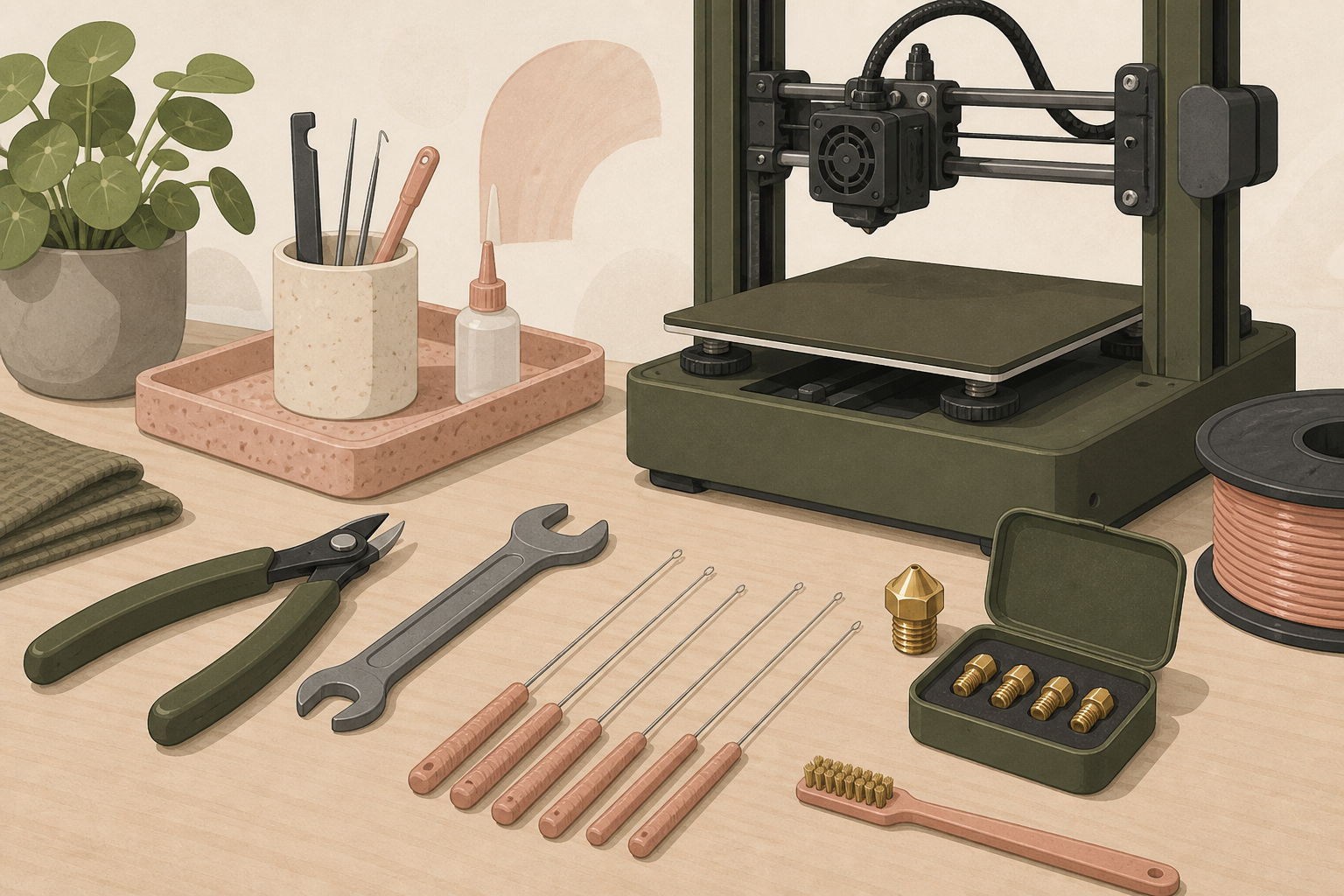
Start with a small brush for dust and loose plastic, fine tweezers for strings, flush cutters for filament ends, and cleaning pins sized for common 0.4 mm nozzles. Add a wrench only if you know how your hotend is assembled. Turning a hot nozzle without holding the heater block can damage wires and threads.
You do not need every tool on day one. A basic tools kit covers removal and cleanup. A maintenance kit becomes more valuable after you have printed enough to see small clogs, worn tips, and a few bad filament changes.
Use cleaning pins carefully
The DOLLAR BOSS 29 Pieces 3D Printer Nozzle Cleaning Kit gives you thin cleaning pins, brushes, tweezers, and a box to keep them from disappearing. It is a useful small kit when extrusion is weak because of a partial clog.
Heat the nozzle to the filament's normal printing temperature before using a pin. Insert it gently from below. The point is to clear softened residue, not force a steel wire through cold brass. If it takes real pressure, stop. A bent pin or damaged nozzle is harder to fix than a small clog.
After cleaning, feed a little fresh filament through and print a small test. If lines are still inconsistent, look for a worn nozzle, wet filament, or a problem in the feeder rather than poking harder.
Keep compatible spare nozzles
The Creality Official 0.4mm Brass Nozzles are a practical spare pack for Ender 3 and CR-10 class machines that use MK8-style 0.4 mm tips. Brass is the ordinary choice for PLA and PETG. It heats well and is cheap enough that replacement is often smarter than an hour of troubleshooting.
Do not buy this pack for every printer. Bambu machines, some direct-drive upgrades, and other hotend families use different assemblies. Confirm the thread and nozzle style in the printer manual. Our 3D printer nozzles guide covers the usual brass versus hardened-steel choice.
Replace a nozzle when the orifice looks worn, first layers get strangely wide, or underextrusion survives a proper clean. A cleaning needle can remove a clog. It cannot make an oval hole round again.
Build a simple weekly routine
Before a long print, wipe loose debris from the bed, make sure the spool turns freely, and check that no cable or filament guide is rubbing a moving axis. Watch the first layer in person. It catches more problems than a deep maintenance session after failure.
Every few weeks, remove dust from fans and rails with a soft brush. Look for loose fasteners, belt debris, and melted plastic around the hotend. Follow the printer manufacturer's lubrication guidance. More grease is not automatically better. For the grease-versus-oil split, see 3D printer lubricant.
If you repeatedly see stringing or popping, inspect the filament before dismantling the printer. Damp material causes plenty of false maintenance emergencies. Read filament storage if open spools sit in a humid room, and dry thirsty rolls before you blame the hotend.
What belongs in the kit (and what does not)
Worth keeping nearby
- Sized cleaning pins and a small brush
- Tweezers and flush cutters
- Compatible spare nozzles in a labeled bag
- A nozzle wrench that matches your hotend
- A short note with your usual PLA and PETG temperatures
Skip for later
- Giant multipacks of mystery hex keys you already own
- Specialty tools for hotends you do not run
- A second scraper if your tools kit already covers removal
The point of a maintenance kit is speed during a warm failure, not a complete hardware store in a drawer.
When cleaning is the wrong next step
If the extruder grinds a flat into the filament, free the path and cut the damaged section before you poke the tip. If the spool will not turn, fix the holder. If every print fails only with one open PETG roll from last month, dry that roll. Maintenance tools fix hardware. They do not fix humidity or a tangled cardboard edge.
Keep the kit beside a 3D printer nozzle cleaner workflow you trust. Use the same gentle heat-first habit every time.
Bottom line
The best 3D printer maintenance kit is a small set you can actually find while the printer is warm. Buy the DOLLAR BOSS 29 Pieces 3D Printer Nozzle Cleaning Kit for basic clog work. Keep compatible Creality Official 0.4mm Brass Nozzles if your printer uses MK8 tips. Clean gently, replace worn parts promptly, and check the first layer before every big job.
Frequently Asked Questions
What should be in a 3D printer maintenance kit?
Keep cleaning pins, a small brush, tweezers, cutters, a nozzle wrench, and compatible spare nozzles in one box near the printer.
Can I clean a nozzle instead of replacing it?
Yes for a small clog. Replace it if the opening is worn, bent, or still underextrudes after a careful clean.
How often should I maintain a 3D printer?
Check the first layer and filament path before long prints. Clean dust and inspect moving parts every few weeks of regular use.
Do all spare nozzles fit every printer?
No. Match the thread, length, and hotend family before ordering. Bambu and many newer printers use their own nozzle assemblies.
What tools fix a partial clog at home?
Heat the nozzle, use a sized cleaning pin gently from below, then purge fresh filament. See how to unclog a 3D printer nozzle for the full sequence.
When is wet filament the real problem?
Popping, fuzzy stringing, and sudden weak extrusion often mean moisture, not a broken hotend. Dry the spool before you rebuild the tool path.